

Compare pricing, speeds, equipment, and reliability to easily find the perfect internet provider for your household.
Key Takeaways
- Quantum Fiber typically offers symmetrical upload and download speeds where available, making it a strong option for remote workers and eco-conscious homes.
- Spectrum provides wider availability and bundled cable packages, which is a practical choice if you want all your home services on one bill.
- Neither provider imposes strict data caps or annual contracts on standard residential plans, freeing you from unexpected overage charges and long-term commitments.

- 7 Gbps
- Cable & Fiber
- Unlimited
- $30.00/mo

- 8 Gbps
- Fiber
- Unlimited
- $30.00/mo
*Not all internet providers and speeds available in all areas.
Getting the keys to a new home is thrilling, but setting up utilities before a move can quickly feel overwhelming. Whether you are unpacking boxes in a brand-new space or simply frustrated enough to upgrade your current connection, deciding between Spectrum vs. Quantum Fiber comes down to understanding what your daily digital life actually demands. In this guide, we compare Spectrum’s widespread cable network against Quantum Fiber’s advanced optical technology so you can confidently pick the right service for your family. We walk you through everything from eco-friendly infrastructure to hidden fees, ensuring your next utility bill brings no surprises.
At-a-Glance: Spectrum vs. Quantum Fiber Pricing and Speeds
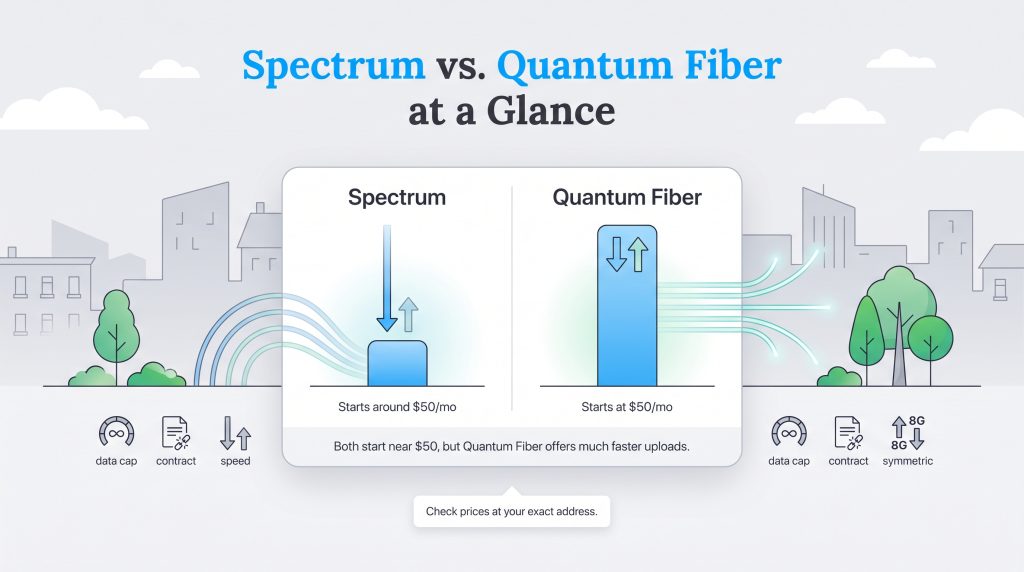
Our comparison focuses on commonly advertised residential plans, connection type, upload and download performance, equipment, contract terms, and setup considerations for people moving into a new home. Because internet offers vary by address, we recommend using this guide as a decision framework, then confirming final rates and availability with each provider.
Before we dive into the technical details of how these networks operate, looking at the raw numbers is the best place to start. Evaluating Quantum Fiber vs Spectrum pricing side-by-side reveals that both companies offer competitive entry-level rates, but their top-tier speeds and network capabilities differ significantly. Fortunately, neither provider locks you into restrictive annual contracts or enforces hard data caps, giving you the flexibility to change your service if your needs evolve. Check out how their core features stack up below to get a baseline understanding of what you can expect to pay for your connection.
The prices and speeds below reflect commonly advertised residential plans as of August 2026, but exact offers vary by address. Always confirm current pricing with the provider before ordering.
| Feature | Spectrum Internet | Quantum Fiber |
|---|---|---|
| Starting Price | Starts around $50.00/mo (promotional) | Starts at $50.00/mo |
| Top Download Speed | Up to 2,000 Mbps (2 Gbps) | Up to 8,000 Mbps (8 Gbps) in select areas |
| Top Upload Speed | Varies by area (often up to 35 Mbps on cable) | Up to 8,000 Mbps (8 Gbps) in select areas |
| Data Caps | None | None |
| Contract Requirements | None | None |
Bottom line: If Quantum Fiber is available at your address and the price is competitive, it’s usually the stronger choice for remote work, gaming, and upload-heavy homes. Spectrum is still a practical pick if fiber isn’t available or if you want internet bundled with TV or mobile service.
📌 Quick Fact: Pricing and exact speed tiers can fluctuate wildly depending on your specific zip code. Always check availability directly at your new address before setting your household budget.
Understanding the Technology: Fiber Internet vs. Cable Internet
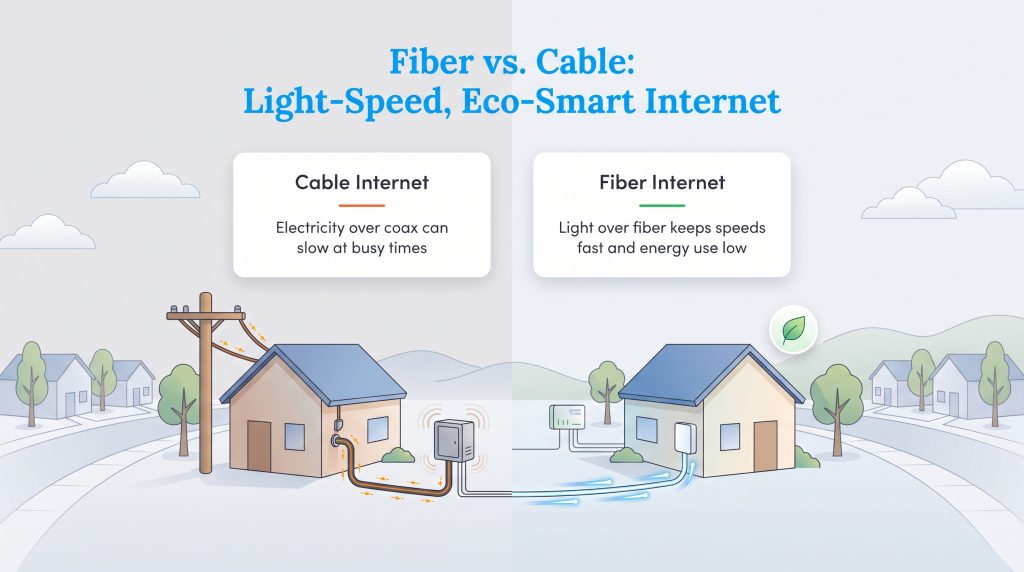
Comparing fiber internet vs cable internet is really about comparing light to electricity. Spectrum relies on a hybrid fiber-coaxial network, meaning it uses fiber-optic lines for the bulk of the distance but switches to traditional copper coaxial cables to make the final jump into your home. While this legacy technology is incredibly widespread and reliable for standard web browsing or streaming, those copper lines are vulnerable to network congestion during peak evening hours when your neighbors are all logging online at once.
Quantum Fiber generally delivers fiber-to-the-home service at eligible addresses, meaning fiber-optic lines run directly to the property instead of relying on coaxial cable for the final connection. This means your data travels as rapid pulses of light through ultra-thin glass strands rather than as electrical currents. Beyond providing lightning-fast speeds, this home internet option is a highly energy-saving option for your household. Fiber can be a more energy-efficient network option than older copper-based infrastructure because fiber signals experience less signal loss and can require less powered equipment across the network, making it an eco-conscious alternative for modern homes.
🌱 Eco Edge: Choosing a 100% fiber-optic network is one of the most effective eco-conscious home choices because it requires less energy to operate than legacy infrastructure, helping lower the overall carbon footprint of your home’s digital services.
Comparing Internet Plans, Pricing, and Hidden Fees
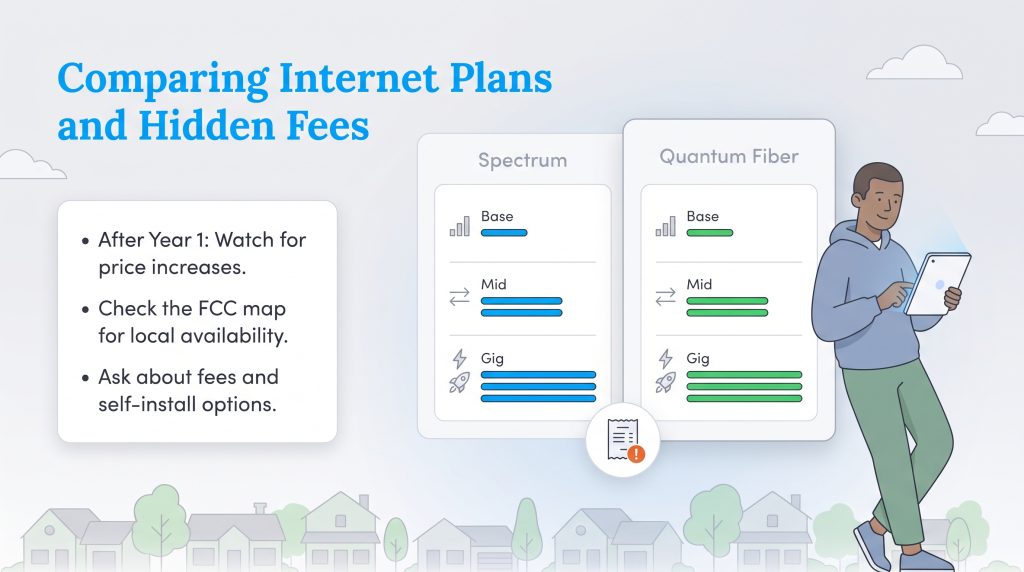
Understanding Spectrum internet plans and pricing requires a close look at the fine print, especially if you are a budget-conscious mover trying to estimate your long-term monthly expenses. Both providers structure their billing differently, so knowing what happens after your first year of service is crucial to avoiding sudden bill spikes. Before committing to either option, we highly recommend checking the FCC National Broadband Map to verify exactly which plans are actively serviceable in your specific neighborhood.
Spectrum Internet Plans
| Plan Name | Price | Download Speeds | Connection Type | |
|---|---|---|---|---|
| Spectrum Internet 100 | $30 /month | Up to 100 Mbps | Cable | Check Availability |
| Spectrum Internet 500 | $40 /month | Up to 500 Mbps | Cable | Check Availability |
| Spectrum Internet 1 Gig | $60 /month | Up to 1000 Mbps | Cable | Check Availability |
| Spectrum Internet 2 Gig | $80 /month | Up to 2 Gbps | Cable | Check Availability |
| Spectrum Internet 7 Gig fiber internet | $140 /month | Up to 7 Gbps | Fiber | Check Availability |
Spectrum often updates its plan names and promotional pricing based on the market. While entry-level tiers historically start around $50 per month, your monthly bill will typically increase after your first 12 to 24 months of service. We recommend checking their current residential offers for exact speeds and rates.
- Spectrum Base Internet: Entry-level speeds vary by location but often provide enough bandwidth for smaller households and basic streaming.
- Spectrum Internet Ultra: Mid-tier options typically deliver higher download speeds ideal for multiple connected devices and heavier usage.
- Spectrum Internet Gig: Top-tier plans reach up to 1 Gbps, which is best for smart homes and intensive daily downloading.
Quantum Fiber Internet Plans
| Plan Name | Price | Download Speeds | Connection Type | |
|---|---|---|---|---|
| Up to 200 Mbps | $30 /month | Up to 200 Mbps | Fiber | Check Availability |
| Up to 500 Mbps | $50 /month | Up to 500 Mbps | Fiber | Check Availability |
| Up to 1 GIG | $50 /month | Up to 1000 Mbps | Fiber | Check Availability |
| Up to 2 GIG | $70 /month | Up to 2 Gbps | Fiber | Check Availability |
| Up to 3 GIG | $70 /month | Up to 3 Gbps | Fiber | Check Availability |
| Up to 8 GIG | $150 /month | Up to 8 Gbps | Fiber | Check Availability |
Quantum Fiber often markets straightforward monthly pricing, and some offers may include price-lock style terms. Check the Quantum Fiber internet plans available at your address before assuming your rate won’t change.
- Quantum Fiber 500 Mbps: Often priced around $50 per month, this tier delivers symmetrical speeds perfect for remote workers.
- Quantum Fiber Up to 1 Gbps (or 940 Mbps): Typically available for $75 per month, offering exceptional value for heavy users and 4K streaming.
- Quantum Fiber Multi-Gig (up to 8 Gbps): Available in select areas, these ultra-fast tiers are designed for hyper-connected tech enthusiasts requiring massive bandwidth.
💸 Money-Saver: Both providers occasionally charge installation or equipment activation fees for new customers. Before ordering, ask whether self-installation, online promotions, or new-customer offers can reduce installation or activation fees.
Speed, Reliability, and Symmetrical Bandwidth Explained
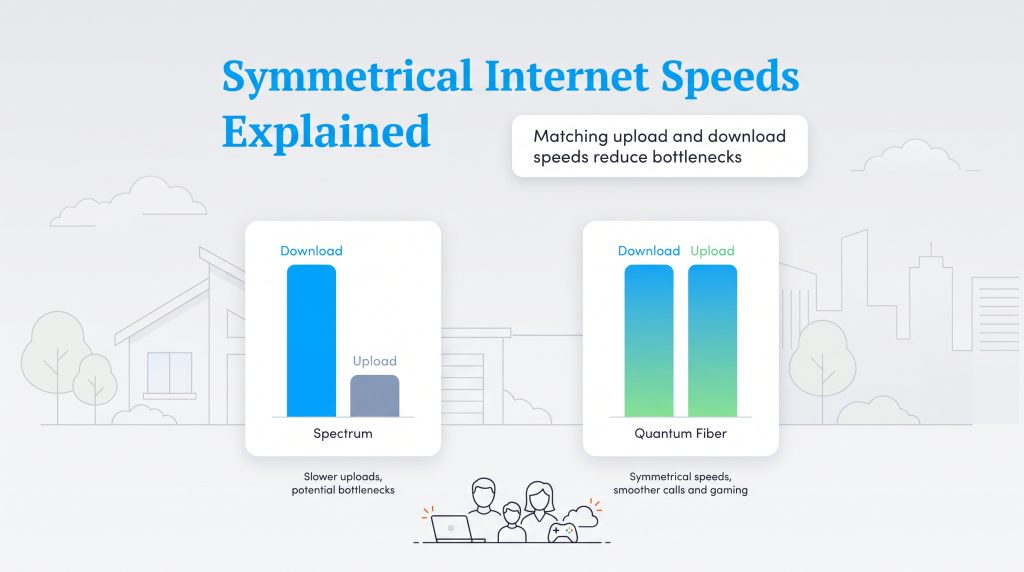
When setting up your new home’s network, looking solely at download speeds only tells half the story. While Spectrum offers incredibly fast download speeds that are great for pulling down massive video files or binge-watching movies, its older coaxial cable infrastructure inherently limits upload speeds. If you frequently upload large video presentations, host professional Zoom calls, or rely on cloud backups, a 35 Mbps upload cap might cause frustrating bottlenecks for your workflow.
Quantum Fiber solves this issue by offering symmetrical bandwidth, which means your upload speeds are exactly as fast as your download speeds. For gaming, Quantum Fiber usually has the edge because fiber connections tend to offer lower latency and stronger upload speeds, which can help reduce lag and improve responsiveness during online gaming. To determine exactly how much bandwidth your specific family needs, you can review the recommended minimum broadband speeds provided by the Federal Communications Commission.
Best Choice Based on How Your Household Uses the Internet
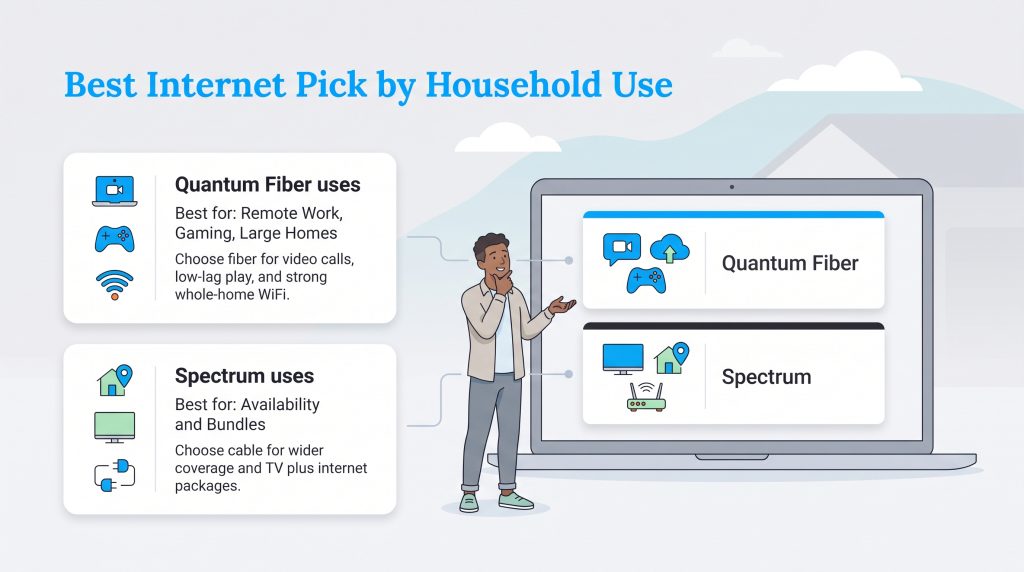
The better provider depends less on brand name and more on how your household actually uses the connection. Use this quick guide to match your internet habits with the stronger option.
| Household Need | Better Pick | Why |
|---|---|---|
| Remote work and video calls | Quantum Fiber | Symmetrical upload speeds help with meetings and cloud backups. |
| Gaming | Quantum Fiber | Fiber usually delivers lower latency and stronger upload performance. |
| Widespread availability | Spectrum | Spectrum’s cable network reaches more addresses. |
| TV and internet bundles | Spectrum | Spectrum offers internet, TV, and mobile bundles in many markets. |
| Larger homes with dead zones | Quantum Fiber | 360 WiFi mesh equipment can improve whole-home coverage. |
Equipment Matchup: Quantum Fiber 360 WiFi vs. Spectrum Advanced WiFi
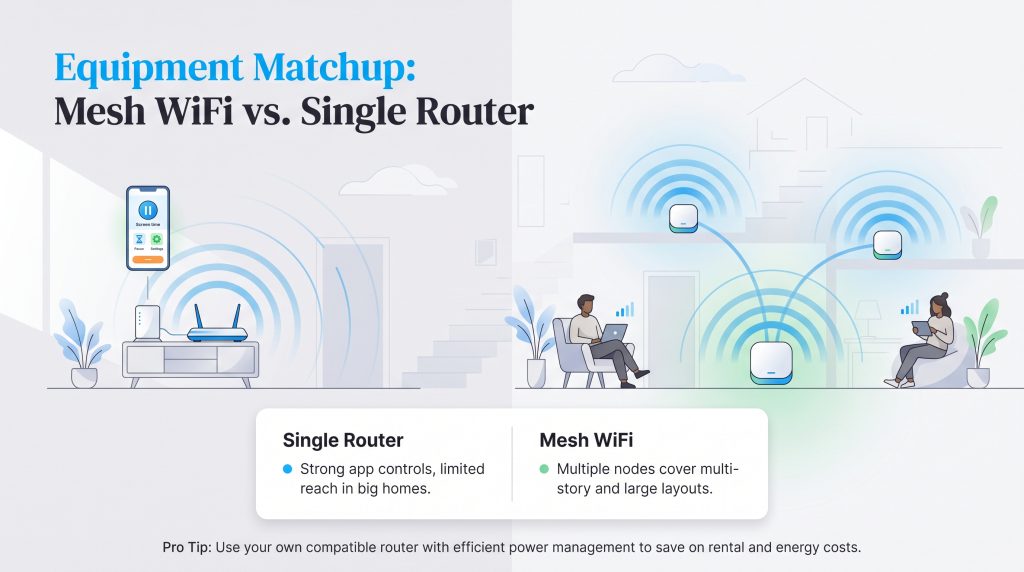
Comparing the Quantum Fiber 360 WiFi setup against the Spectrum Advanced WiFi system reveals two very different approaches to networking hardware. Spectrum Advanced WiFi provides a solid, traditional centralized router experience managed through a highly intuitive smartphone app. It allows you to pause devices, manage screen time, and monitor your network from anywhere. However, a single central router can struggle to push a strong signal through multiple walls or up several floors.
Conversely, the Quantum Fiber 360 WiFi setup is a comprehensive mesh system designed to blanket larger homes and eliminate frustrating dead zones. Instead of relying on a single broadcasting point, mesh nodes are placed throughout your house to pass the signal seamlessly from room to room. If you are moving into a sprawling, multi-story property, the mesh system offers a distinct coverage advantage over a standard standalone router.
💡 Pro Tip: You can often save money by using your own compatible router instead of renting one, but confirm compatibility first. Look for efficient networking equipment with modern power-management features that consumes less power over its lifespan.
How to Seamlessly Switch from Spectrum to Quantum Fiber
Moving into a new place or swapping utility providers is stressful enough without losing your internet access mid-workweek. If you want to successfully switch from Spectrum to Quantum Fiber, following a careful timeline guarantees you never suffer a dreaded service blackout.
- Confirm your eligibility: Check your exact address on Quantum’s website to ensure active fiber lines are run directly to your property.
- Confirm landlord approval: If you rent, confirm whether a fiber installation requires permission from your landlord before scheduling.
- Schedule the installation first: Book your new setup appointment before making any cancellation calls. The Quantum Fiber installation process usually requires a technician to route the optical line inside your home and install an Optical Network Terminal (ONT).
- Test the new network: Connect your phones, laptops, and smart TVs to the new fiber network to verify the speeds are stable and functional.
- Cancel your old service: Only after your new fiber internet is humming along perfectly should you call Spectrum to terminate your current plan. Avoid canceling early and always ask for your final billing date.
🚩 Heads Up: Remember to return your old Spectrum modem and router promptly to an official store or authorized shipping center. Take a photo of the returned equipment and always keep your physical return receipt so you can contest any unreturned equipment fees that might accidentally appear on your final bill.
Making Your Final Internet Decision for Your Home
If Quantum Fiber is available at your address and the price fits your budget, it’s usually the better choice for remote work, gaming, video calls, cloud backups, and larger connected households. Its symmetrical speeds and fiber-to-the-home infrastructure give it a performance advantage over traditional cable internet. Spectrum is still a smart fallback if Quantum Fiber isn’t available, if you want TV or mobile bundles, or if its promotional pricing is meaningfully lower at your new address.
Frequently Asked Questions About Spectrum and Quantum Fiber
These common questions cover availability, equipment, data use, and day-to-day performance. Use them to double-check the details that matter most before you schedule installation.
Does Quantum Fiber or Spectrum have data caps?
How do I know if Quantum Fiber is available at my address?
Is fiber internet actually better for the environment?
Can I use my own router with Spectrum or Quantum Fiber?
Which provider is better for working from home?
About the Author

David has been an integral part of some of the biggest utility sites on the internet, including InMyArea.com, HighSpeedInternet.com, BroadbandNow.com, and U.S. News. He brings over 15 years of experience writing about, compiling and analyzing utility data.

LaLeesha has a Masters degree in English and enjoys writing whenever she has the chance. She is passionate about gardening, reducing her carbon footprint, and protecting the environment. She also recently served as President of the Board for City Sprouts (a community garden).