

Choosing the right internet provider is one of the most critical utility decisions you will make when moving into a new home.
Key Takeaways
- Spectrum is usually your best bet if your alternative is CenturyLink DSL and you want no-contract cable internet with stronger everyday speeds.
- CenturyLink Fiber can beat Spectrum on upload speeds and long-term value, but availability is much more limited than CenturyLink DSL.
- Planning your installation early saves you from unexpected second-year price hikes and stressful moving-day connection delays.

- 7 Gbps
- Cable & Fiber
- Unlimited
- $30.00/mo

- 940 Mbps
- DSL & Fiber
- 1 TB
- $50.00/mo
*Not all internet providers and speeds available in all areas.
Moving is stressful enough without worrying about whether your next Zoom call will drop or your favorite streaming service will buffer endlessly. Securing reliable internet sits at the very top of a smart moving checklist, yet sorting through confusing provider promises often feels overwhelming. We want to help you cut through the tech jargon and hidden fees to quickly figure out whether Spectrum vs. CenturyLink is the better fit for your new household.
The Bottom Line: When to Choose Which Provider
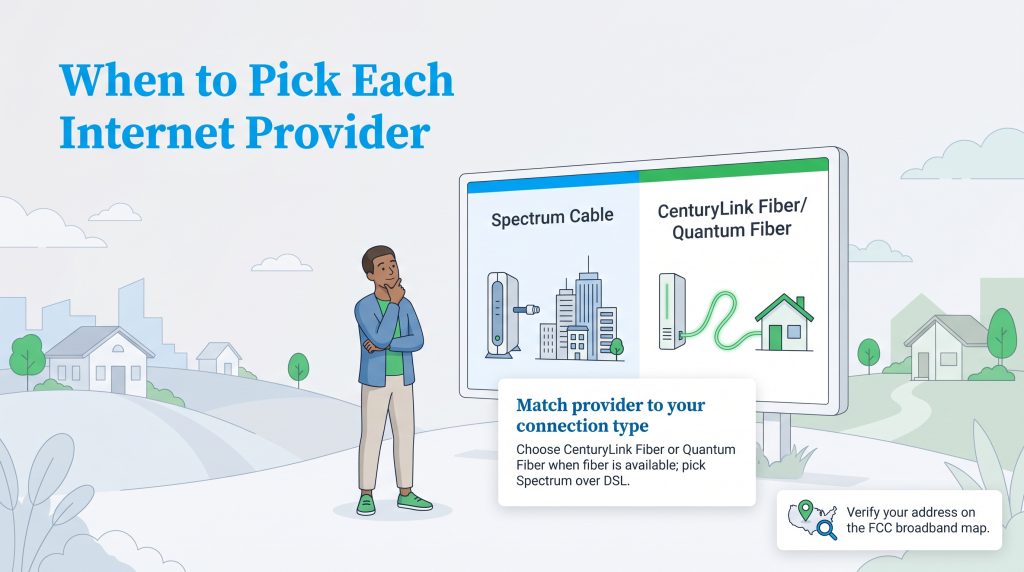
If you are wondering whether Spectrum or CenturyLink is better, the answer depends almost entirely on your new neighborhood’s internet infrastructure. Location dictates your everyday digital experience. In some areas, CenturyLink fiber service may be offered under the Quantum Fiber brand, which is also part of parent company Lumen. We recommend choosing CenturyLink Fiber or Quantum Fiber without hesitation if your new address is wired for it, as you get exceptional speeds and highly efficient symmetrical upload capabilities. On the flip side, if your only CenturyLink option is their traditional DSL service, Spectrum stands as the clear winner. Spectrum’s robust cable network easily outperforms the sluggish limitations of DSL technology. You deserve a seamless connection from day one.
| Category | Better Pick | Why It Wins |
|---|---|---|
| Fastest upload speeds | CenturyLink Fiber | Fiber typically offers much faster uploads than cable or DSL, making it ideal for remote work and large file transfers. |
| Widest high-speed availability | Spectrum | Cable internet is broadly available in many suburban and urban areas where fiber has not yet been built. |
| Lowest long-term price risk | CenturyLink Fiber | Fiber plans are often less dependent on short promotional discounts, though you should always verify current terms. |
| Avoiding DSL slowdowns | Spectrum | Spectrum cable usually beats CenturyLink DSL for streaming, gaming, and multiple household devices. |
📌 Quick Fact: Internet availability can vary dramatically block by block, even within the identical zip code. We highly recommend checking the FCC National Broadband Map to verify exactly which connection type runs directly to your new address.
Translating the Tech Jargon: Cable, DSL, and Fiber Explained
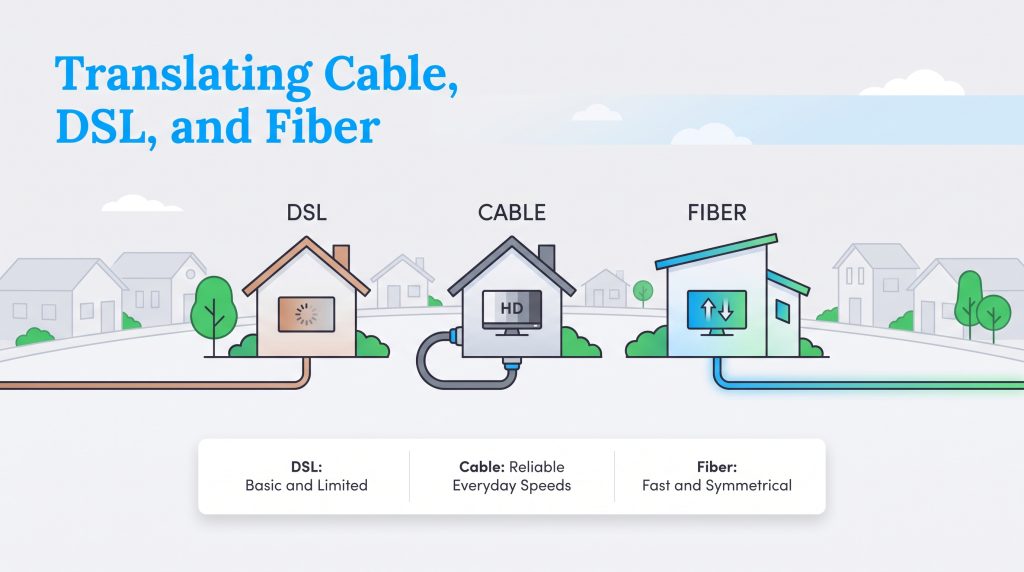
The type of connection running to your house dictates your daily online experience more than flashy marketing claims ever will. When exploring your internet connection options, understanding the physical technology helps you set realistic expectations for your household.
The Reality of CenturyLink DSL
Because it runs on older copper telephone lines, DSL technology struggles to keep up with modern demands. When comparing Spectrum internet vs. CenturyLink DSL, you quickly see the bandwidth limitations. DSL is fine for casual web browsing, but your morning Zoom meetings might lag severely if someone else in the house is streaming Netflix in another room.
The Consistency of Spectrum Cable
Cable internet relies on the coaxial cables already built into most neighborhoods, making it incredibly widespread and robust. A properly sized cable plan can usually handle multiple devices streaming HD video at the same time, especially compared with older DSL service. It provides a solid middle ground between aging DSL lines and cutting-edge fiber networks.
The Power of CenturyLink Fiber
Fiber optic internet stands as the strongest option for home connectivity. When evaluating CenturyLink Fiber vs. Spectrum, fiber wins hands down due to its impressive symmetrical speeds. This means uploading large files to a cloud server or gaming online with friends is just as lightning-fast as downloading a massive movie file. This matters immensely if you upload videos, back up large files, work from home, or video chat often.
Comparing Pricing and Your True Cost After Year One
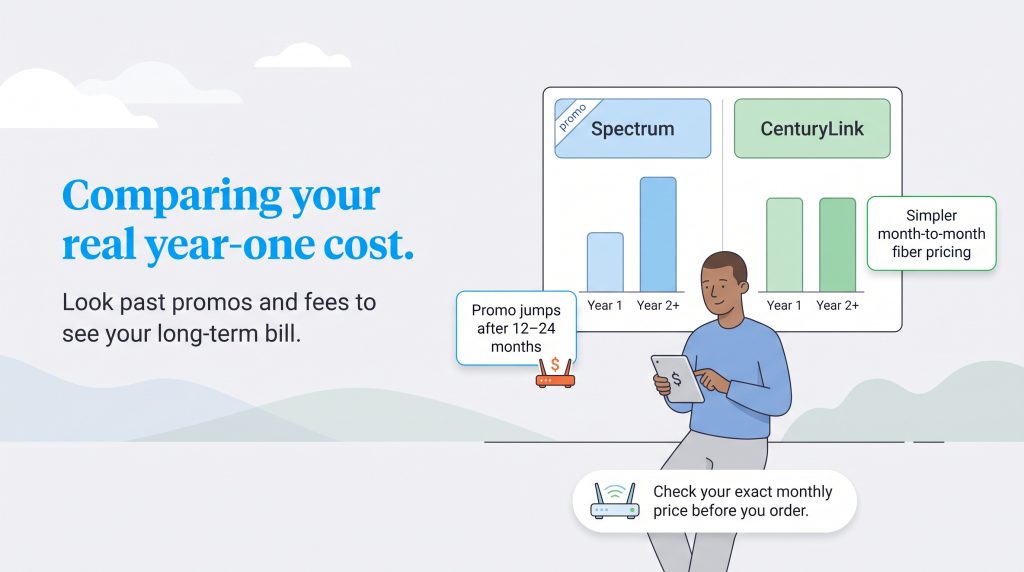
Promotional pricing can be incredibly deceiving when you set up new utilities. We always encourage looking past the first twelve months to understand your long-term financial commitment, especially since assessing Spectrum vs. CenturyLink pricing requires comparing two very different billing structures. CenturyLink often uses simpler month-to-month pricing for its fiber plans, meaning they are less dependent on short promotional discounts. Spectrum, however, utilizes promotional rates that typically jump higher after your first 12 or 24 months of service. You also have to watch out for optional equipment fees that quietly inflate your monthly bill. Prices and speeds vary by address, plan, taxes, fees, promotional terms, and equipment choices. Always confirm your exact monthly price before ordering service.
💸 Money-Saver: Spectrum usually includes the modem, but using their Wi-Fi router may add a monthly equipment fee. Buying a compatible router can reduce recurring costs, though you should confirm compatibility before ordering.
Spectrum Plans & Pricing
| Plan Name | Price | Download Speeds | Connection Type | |
|---|---|---|---|---|
| Spectrum Internet 100 | $30 /month | Up to 100 Mbps | Cable | Check Availability |
| Spectrum Internet 500 | $40 /month | Up to 500 Mbps | Cable | Check Availability |
| Spectrum Internet 1 Gig | $60 /month | Up to 1000 Mbps | Cable | Check Availability |
| Spectrum Internet 2 Gig | $80 /month | Up to 2 Gbps | Cable | Check Availability |
| Spectrum Internet 7 Gig fiber internet | $140 /month | Up to 7 Gbps | Fiber | Check Availability |
CenturyLink Plans & Pricing
| Plan Name | Price | Download Speeds | Connection Type | |
|---|---|---|---|---|
| 100 Mbps | $55 /month | Up to 100 Mbps | DSL | Check Availability |
| 500 Mbps | $50 /month | Up to 500 Mbps | Fiber | Check Availability |
| Fiber Gigabit | $75 /month | Up to 940 Mbps | Fiber | Check Availability |
The Mover’s Checklist for Setup and Installation
Minimizing moving-day stress requires tackling your utility transfers well before you start packing boxes. Both providers offer straightforward self-installation kits if your new home is already wired for service, but scheduling a professional installation can take days or even weeks during busy seasons. Installation fees vary based on whether a technician needs to run new lines to your property or if you qualify for a self-install kit.
- Two weeks before moving: Start organizing your utilities before moving day by ordering your internet service and requesting a self-install kit to be shipped directly to your new address. If you need a professional installation, schedule your appointment early.
- Moving day: Plug in your modem and router as soon as you have access to the home to verify the connection is active and troubleshooting is not required.
- Post-move setup: Return any leased equipment from your previous provider within their specified window to avoid hefty unreturned equipment fees. Keep your old internet active until your new service is confirmed, and photograph your return receipts for your records.
Eco-Conscious Equipment and Energy Savings at Home
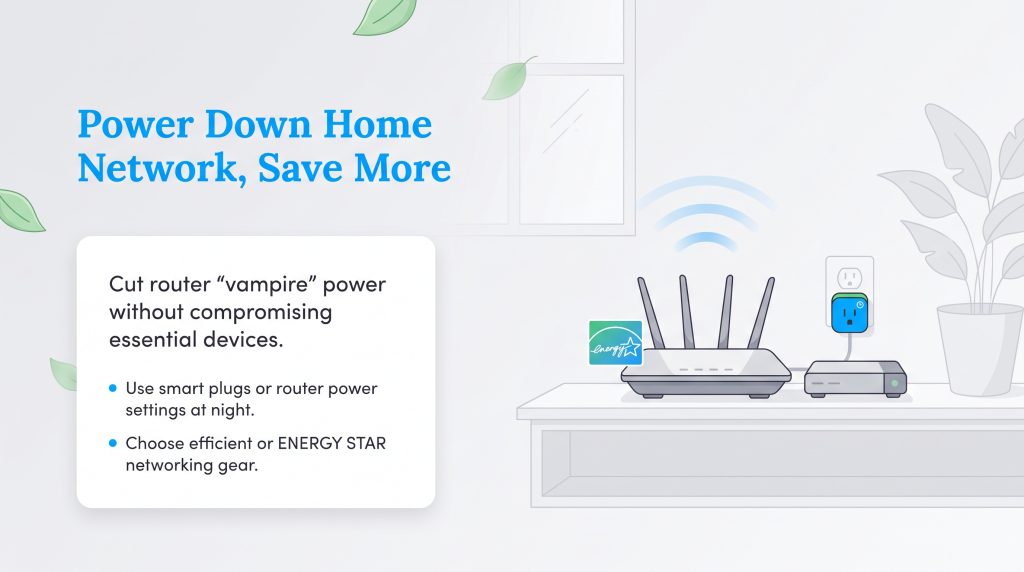
It is incredibly easy to overlook the small electronics plugged into our walls, but devices like modems and routers constantly draw power and impact your home’s overall energy footprint. You can make an environmentally mindful choice simply by optimizing your new home network. We recommend digging into your router’s administrator settings to manage power output or utilizing programmable smart plugs to completely shut down your networking equipment at night. However, do not schedule your router to shut off if you rely on Wi-Fi for security cameras, medical devices, smart thermostats, VoIP phone service, or overnight work systems. Eliminating this vampire energy drain slightly lowers your monthly electric bill while reducing unnecessary carbon emissions. Learning how to save on your electric bill through small adjustments adds up over the years you live in your home.
🌱 Eco Edge: If ENERGY STAR-certified networking equipment is available, it can be an energy-saving option. If not, compare router power ratings, avoid oversized mesh systems you do not need, and recycle old equipment responsibly.
Making the Right Internet Choice for Your New Home
CenturyLink Fiber is usually the strongest pick if it reaches your new address, thanks to fast uploads and straightforward plan options. However, Spectrum stands strong as the reliable, widely available champion for households needing robust cable internet to avoid the sluggishness of outdated DSL lines. You now have the knowledge to bypass the marketing jargon and pick the exact right service for your specific situation. Check your local availability, lock in your order, and confidently cross one major utility off your moving checklist today.
Frequently Asked Questions About Spectrum and CenturyLink
Is Spectrum or CenturyLink better for gaming?
What is the difference between CenturyLink Simply Unlimited Internet vs. Spectrum?
How difficult is switching from CenturyLink to Spectrum?
Do either of these providers have data caps?
Can I check CenturyLink vs. Spectrum availability before I buy a house?
Is CenturyLink Fiber the same as Quantum Fiber?
Does Spectrum get more expensive after the first year?
About the Author

David has been an integral part of some of the biggest utility sites on the internet, including InMyArea.com, HighSpeedInternet.com, BroadbandNow.com, and U.S. News. He brings over 15 years of experience writing about, compiling and analyzing utility data.

LaLeesha has a Masters degree in English and enjoys writing whenever she has the chance. She is passionate about gardening, reducing her carbon footprint, and protecting the environment. She also recently served as President of the Board for City Sprouts (a community garden).