

Choosing between Optimum and Frontier comes down to your budget, location, and daily internet habits.
Key Takeaways
- Price and speed are competitive between both providers, but your experience will heavily depend on whether you have access to their newer fiber-optic networks.
- Frontier often wins for broader rural availability and no data caps, but its fiber service is much stronger than its DSL option.
- Comparing equipment fees, installation costs, and energy-efficient router options can help you lower your total monthly cost.

- 8 Gbps
- Cable & Fiber
- Unlimited
- $25.00/mo

- 7 Gbps
- Fiber
- Unlimited
- $29.99/mo
*Not all internet providers and speeds available in all areas.
Settling into a new home brings a lot of excitement, but picking an internet service provider rarely makes the highlight reel. If you’re comparing Optimum and Frontier, you’re staring down a choice that impacts everything from late-night streaming to running your energy-saving smart home devices. The core conflict often boils down to balancing promotional prices with long-term reliability — nobody wants to get trapped by unexpected hidden fees or suffer through buffering screens just months after signing up. We’re breaking down the network speeds, fine print, and real-world customer experiences so you can confidently pick the right provider for your household.
Which Provider Should You Choose?
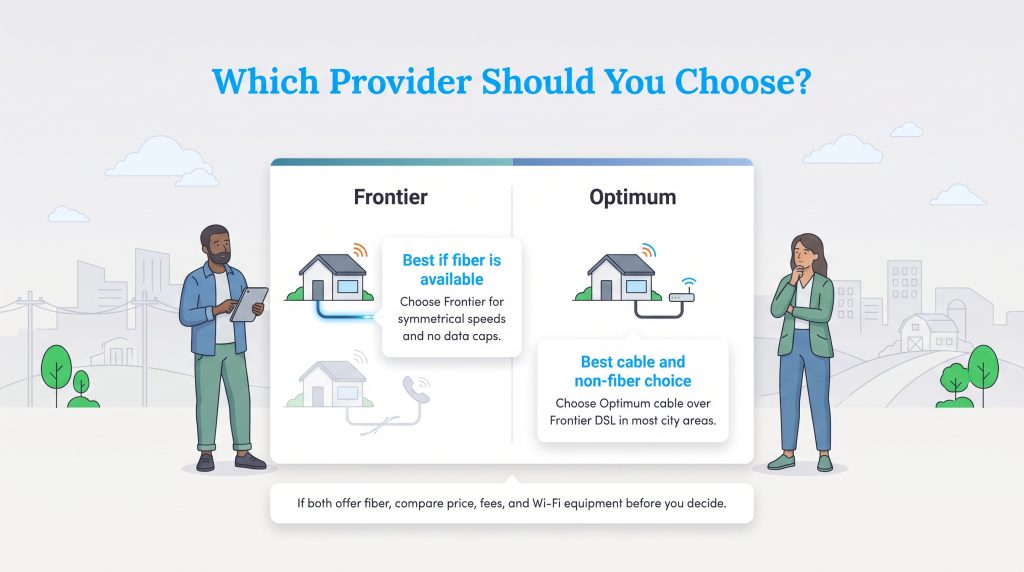
The winner can change from one street to the next. If Frontier offers fiber and Optimum only offers cable, compare price and upload speed. If Frontier only offers DSL, Optimum cable is usually the stronger choice.
| Category | Winner | Why |
|---|---|---|
| Best Fiber Option | Frontier or Tie | Depends on address, price, and speed tier |
| Best Cable/Non-Fiber Option | Optimum | Cable usually beats DSL for speed and reliability |
| Best Rural Availability | Frontier | Larger legacy footprint in many rural areas |
| Best for Gaming | Fiber tie; Optimum over DSL | Fiber from either provider is best; avoid DSL for serious gaming |
| Best Budget Pick | Depends on promotion | Compare the first-year price and standard monthly rate |
- Choose Optimum if you live in a cable-served urban or suburban area and Frontier only offers DSL.
- Choose Frontier if fiber is available at your address and you want symmetrical speeds with no data caps.
- Compare both carefully if both offer fiber, because the better deal may come down to installation fees, equipment costs, post-promotional pricing, and Wi-Fi equipment.
A Side-by-Side Look at Optimum and Frontier
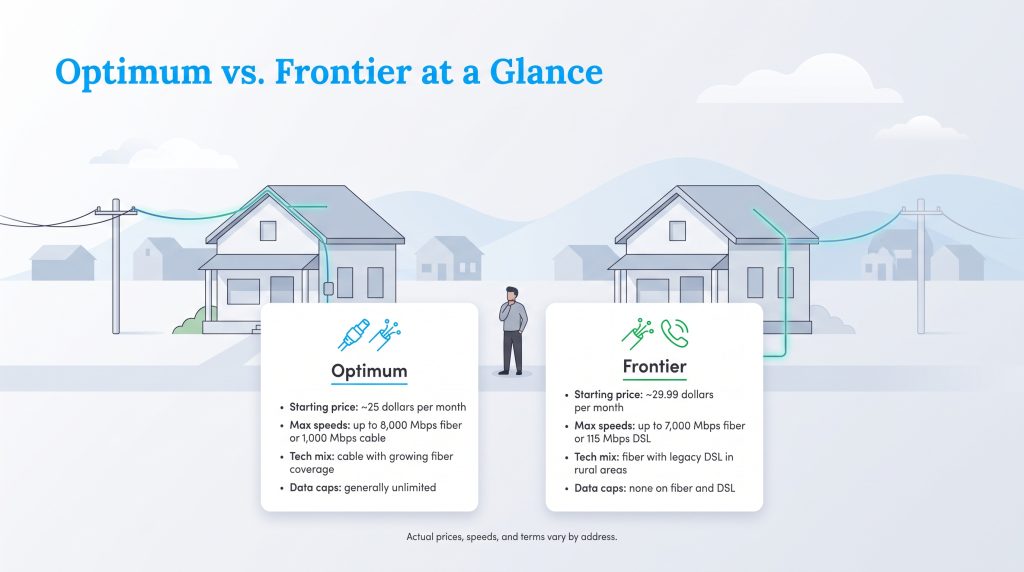
A smart internet choice starts with looking past promotional pricing and comparing the details that affect your monthly bill. When evaluating Optimum vs. Frontier internet, comparing these ISPs requires looking at the raw data first to see how their base offerings stack up against each other. Both companies have undergone significant network upgrades over the last few years, pushing hard into the fiber-optic space while still maintaining their older, traditional network infrastructures. You’ll notice that their starting prices and maximum speeds look remarkably similar on paper, yet the underlying technology driving those connections varies quite a bit depending on your address. Optimum primarily relies on a hybrid coaxial cable network mixed with expanding fiber coverage, while Frontier leans heavily on its legacy DSL lines in rural regions alongside an aggressive modern fiber rollout. Prices, speeds, equipment fees, and promotional terms vary by address and can change. Always confirm your exact plan details through the provider’s current broadband label before ordering. The data below reflects baseline promotional offerings as of June 2026.
| Feature | Optimum | Frontier |
|---|---|---|
| Starting Price | ~$25.00/month (varies by speed tier and promotions) | ~$29.99/month (varies by speed tier and promotions) |
| Advertised Max Speeds | Up to 8,000 Mbps (Fiber) or 1,000 Mbps (Cable) | Up to 7,000 Mbps (Fiber) or 115 Mbps (DSL) |
| Upload Speeds | Symmetrical on fiber; highly variable on cable | Symmetrical on fiber; sluggish on DSL |
| Connection Types | Cable, Fiber | Fiber, DSL |
| Data Caps | Generally unlimited on current residential plans | Unlimited (No data caps on fiber or DSL) |
| Contract Requirements | No annual contract required | No annual contract required |
| Best Availability Fit | Dense urban and suburban regions | Expanding fiber footprint and broad rural DSL |
Breaking Down the Real Cost and Hidden Fees
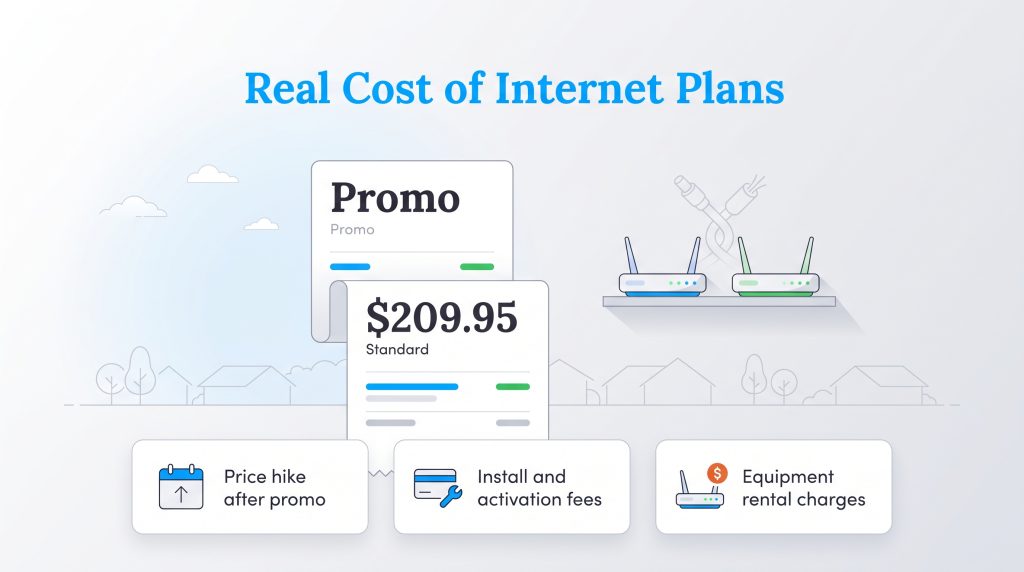
Figuring out the cheapest internet Optimum or Frontier offers means looking past the giant, bolded numbers on their promotional flyers. Both companies lure new customers in with heavily discounted rates that usually last for the first 12 to 24 months of service. Once those honeymoon periods expire, standard pricing kicks in, often raising your monthly bill by $20 to $40.
Beyond the baseline rate increase, you must account for the secondary costs of setting up home internet service. Optimum generally waives standard installation fees if you order online, but a premium professional installation could cost around $50. Frontier may charge activation or installation fees, though promotions sometimes reduce or waive those costs for new fiber customers.
Both providers also offer contract buyouts to help you break free from an old provider, which can be incredibly useful if you’re trying to avoid early termination penalties. However, equipment rentals are where hidden costs really pile up over time. Renting a standard gateway from either provider will typically add an extra $10 to $15 to your monthly statement. Over two years, that can add up to hundreds in extra costs.
Optimum Plans & Pricing
| Plan Name | Price | Download Speeds | Connection Type | |
|---|---|---|---|---|
| Optimum FASTPASS | $25 /month | Up to 200 Mbps | Cable | Check Availability |
| Optimum 300 | $30 /month | Up to 300 Mbps | Cable | Check Availability |
| 300 Mbps Fiber | $30 /month | Up to 300 Mbps | Fiber | Check Availability |
| Optimum 500 | $40 /month | Up to 500 Mbps | Cable | Check Availability |
| Fiber 500 Mbps | $40 /month | Up to 500 Mbps | Fiber | Check Availability |
| Optimum 1 Gig | $25 /month | Up to 1000 Mbps | Cable | Check Availability |
| Fiber 1 Gig | $25 /month | Up to 1000 Mbps | Fiber | Check Availability |
| Fiber 2 Gig | $60 /month | Up to 2 Gbps | Fiber | Check Availability |
| Fiber 5 Gig | $75 /month | Up to 5 Gbps | Fiber | Check Availability |
| Fiber 8 Gig | $120 /month | Up to 8 Gbps | Fiber | Check Availability |
Frontier Plans & Pricing
| Plan Name | Price | Download Speeds | Connection Type | |
|---|---|---|---|---|
| Frontier Internet | $64.99 /month | Up to 12 Mbps | DSL | Check Availability |
| Fiber 200 Mbps | $29.99 /month | Up to 200 Mbps | Fiber | Check Availability |
| Fiber 500 Mbps | $44.99 /month | Up to 500 Mbps | Fiber | Check Availability |
| Fiber 1 Gig | $64.99 /month | Up to 1000 Mbps | Fiber | Check Availability |
| Fiber 2 Gig | $79.99 /month | Up to 2 Gbps | Fiber | Check Availability |
| Fiber 5 Gig | $104.99 /month | Up to 5 Gbps | Fiber | Check Availability |
| Fiber 7 Gig | $124.99 /month | Up to 7 Gbps | Fiber | Check Availability |
Network Speeds and Reliability in the Real World
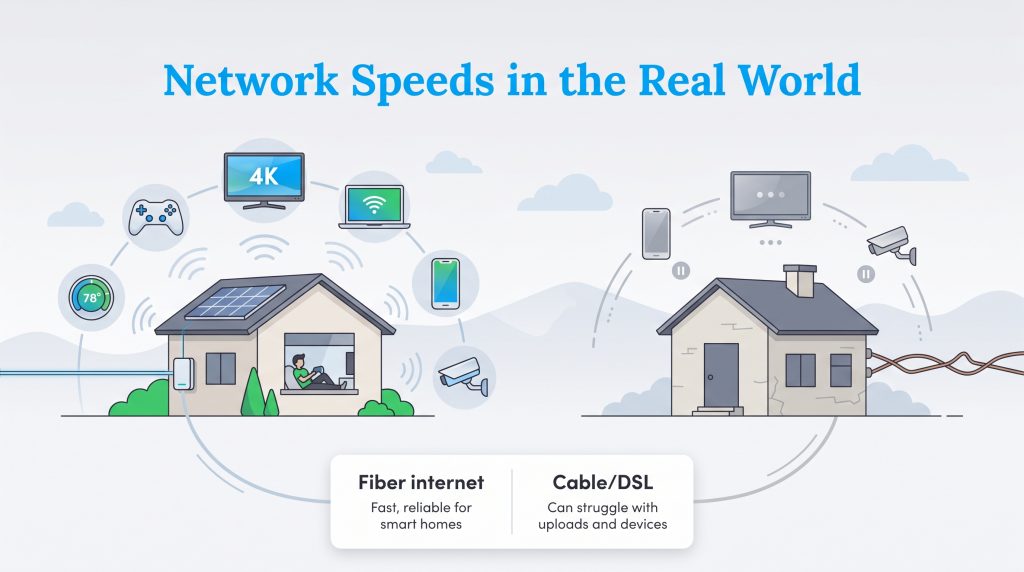
Raw speed numbers are fantastic for marketing, but real-world reliability dictates how seamlessly your household actually runs. If you find yourself choosing between Optimum fiber vs. Frontier fiber, you’re in an excellent position. Both utilize incredibly fast, modern technology that transmits data via pulses of light through glass strands. Fiber-optic connections are inherently superior to older networks because they offer symmetrical speeds, meaning your upload speed is just as fast as your download speed. Cable internet provides decent download speeds but struggles with slow uploads, while DSL relies on aging telephone copper wiring that often caps out at a sluggish 115 Mbps.
Connecting Smart Homes and Multiple Devices
An eco-conscious home often features an array of connected devices, from high-definition security cameras monitoring your front porch to smart thermostats optimizing your electric service and smart-home energy use. When you stack these smart devices alongside standard smartphones, laptops, and smart TVs, bandwidth vanishes quickly. A fiber plan with a modern Wi-Fi router can usually support busy households with multiple phones, laptops, TVs, cameras, and smart devices more smoothly than DSL. If you are stuck with Frontier’s legacy DSL, running a smart home becomes a frustrating bottleneck, whereas Optimum’s standard cable network usually provides enough baseline bandwidth to keep multiple smart sensors and a few streaming devices functioning properly.
The Best Option for Gamers and Streamers
For high-bandwidth activities, judging Frontier vs. Optimum for gaming requires examining latency. Latency — often called ping — is the tiny delay between sending a command from your controller and seeing that action happen on screen. For gaming, fiber from either provider is the best-case scenario. If both providers offer fiber at your address, either can deliver the low latency gamers need. Frontier may be especially appealing if its fiber plan gives you symmetrical speeds and unlimited data at a lower long-term price. If your choice is Optimum cable versus Frontier DSL, Optimum is usually the better gaming and streaming option.
Understanding the Availability Divide Between Providers
Comparing Optimum vs. Frontier availability quickly reveals that these two companies operate in vastly different geographic landscapes. Optimum maintains a highly concentrated footprint, heavily dominating the urban and suburban markets throughout the Northeastern tri-state area of New York, New Jersey, and Connecticut. They’ve recently expanded into other states through acquisitions, but their core strength remains in densely populated neighborhoods where their existing cable infrastructure is firmly rooted.
Frontier operates on an entirely different scale. Their network spans across more than two dozen states, reaching deep into rural communities where larger cable giants refuse to build. This massive reach is largely due to their legacy DSL network, which utilizes existing telephone lines to deliver baseline internet access. While Frontier is aggressively expanding their cutting-edge fiber network across their footprint, many rural customers still only have access to their slower DSL speeds. Before falling in love with a specific plan, use tools like the FCC National Broadband Map to check official broadband availability for your specific address. Keep in mind that a provider’s own availability checker may differ slightly from official FCC data, as true serviceability often depends on the exact address, unit number, and installation status.
What Real Customers Experience After Installation
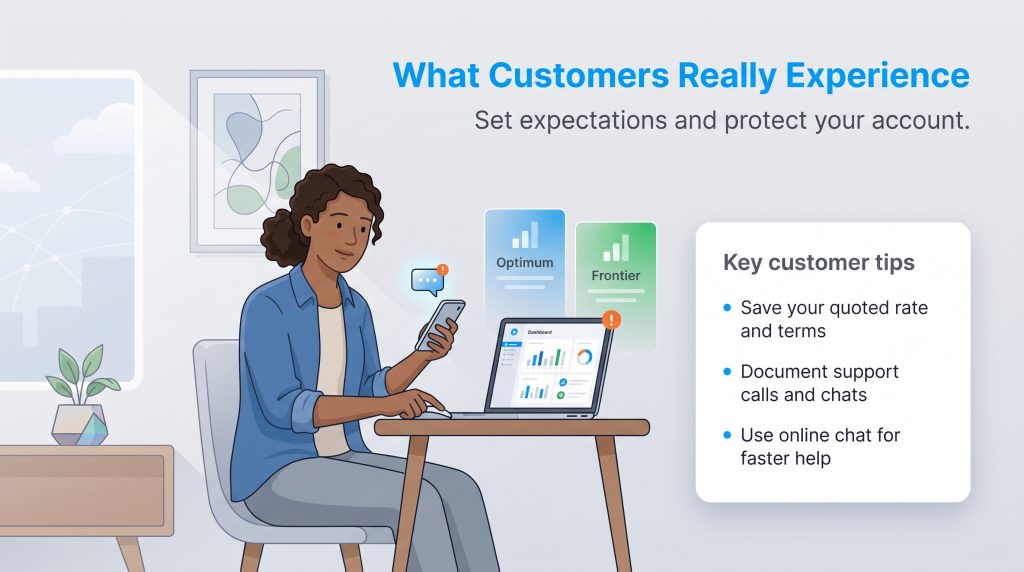
Navigating an internet outage or a confusing bill is stressful, and unfortunately, neither of these providers holds a flawless record when it comes to keeping customers perfectly happy. When measuring Optimum vs. Frontier customer service, the aggregated realities highlight several common pain points that new users should anticipate.
Common complaints for large internet providers often include billing confusion, promotional pricing changes, installation delays, and long support wait times. Before ordering, save screenshots of your quoted rate, fees, and promotional terms so you can clearly reference them if your monthly statement suddenly jumps after the first year or if a dispatcher reschedules an installation without clear communication.
Dealing with ISP customer support can test your patience, but you have ways to mitigate the frustration. Always document your interactions, request confirmation emails for any promised discounts, and be proactive about scheduling maintenance. If you run into technical problems, using their respective online chat portals often yields faster resolutions than waiting on hold over the phone. While no telecom company has a perfect record, setting clear expectations ahead of time helps you handle the inevitable hiccups with less stress.
Compare These Before You Order
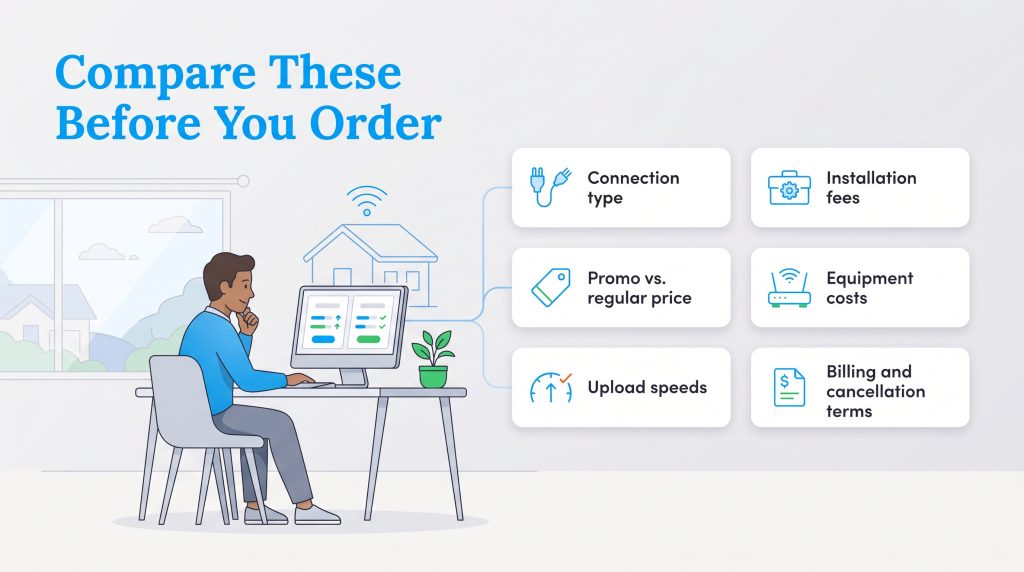
Whether you are moving into a newly built property or just seeking a better rate, gathering the right details beforehand ensures you won’t be caught off guard. Review this mini checklist before finalizing any internet order:
- Connection Type: Confirm whether the address is wired for fiber, cable, or DSL.
- Promotional vs. Regular Price: Know exactly when the introductory discount expires and what the standard monthly rate will be afterward.
- Upload Speeds: Look past the download speeds to ensure your upload speed is fast enough for video calls and gaming.
- Installation Fees: Check if there is an activation fee or if the provider requires a professional setup instead of a self-installation kit.
- Equipment Costs: Ask if the gateway rental is included in the base price or if it adds an extra monthly fee.
- Billing Requirements: See if the advertised rate requires you to enroll in autopay and paperless billing.
- Cancellation Terms: Understand the equipment return process and verify if there are any early termination fees.
Making the Switch Safely and Smoothly
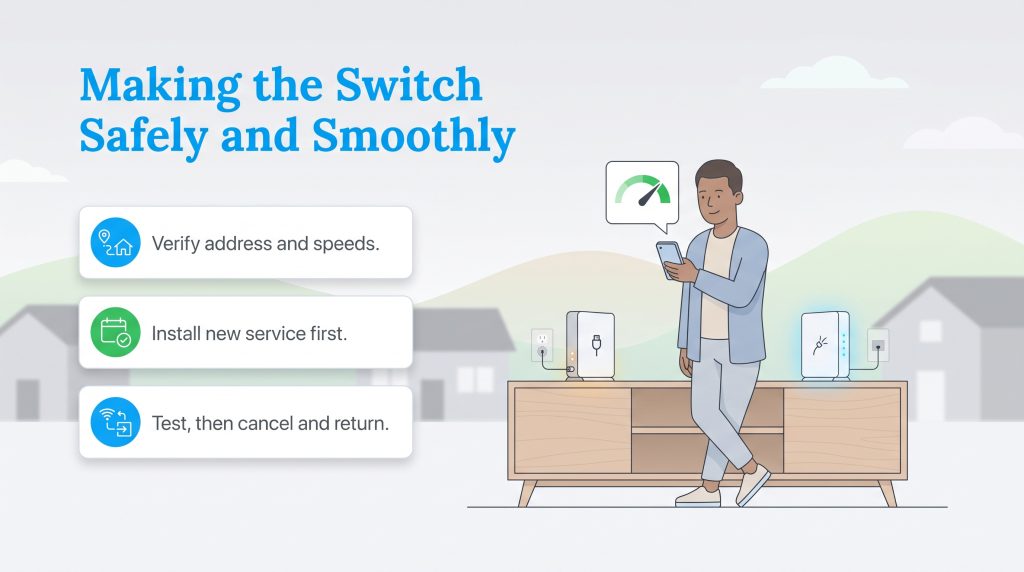
Moving into a new residence or simply fed up with your current monthly bill? The process to switch from Optimum to Frontier — or vice versa — requires a little bit of strategic timing to avoid paying for two services at once or suffering through a weekend without Wi-Fi. A few extra minutes of planning can save you from duplicate bills, missed technician appointments, and unreturned-equipment charges.
Follow these steps to coordinate a seamless transition:
- Verify your address compatibility. Double-check that your desired speed tier is physically wired to your home, paying close attention to whether the connection is fiber, cable, or DSL.
- Schedule your new installation first. Book the technician for your new provider at least a week before you plan to cancel your existing service. This ensures you aren’t left disconnected if a delay occurs.
- Test the newly activated line. Once the new router is plugged in, connect your smartphone and run a quick speed test to verify the network is stable and performing as advertised.
- Cancel your old service and return equipment. Call your previous provider to officially terminate the account. Be sure to drop off any rented modems or routers at a designated shipping center and keep the receipt to avoid unreturned equipment fees. Always make sure your new connection is fully active and tested before officially canceling your old plan.
Deciding the Right Internet Provider for Your Home
Figuring out exactly which is better Optimum or Frontier ultimately hinges on the specific infrastructure running to your home and how intensely your household relies on bandwidth. The data points a clear direction depending on your daily usage habits and your geographic location.
Frontier is usually the better pick for heavy gamers, remote workers, and rural users — provided you fall within their newly expanded fiber-optic footprint. Their symmetrical upload speeds and lack of restrictive data caps make them an exceptional choice for data-hungry households. However, if Frontier only offers DSL at your address, you should steer clear. Optimum is often stronger for budget-conscious urban and suburban renters who need reliable, fast connections without hunting for a fiber line. Their robust coaxial cable network easily outperforms basic DSL, providing more than enough speed to run an energy-efficient smart home and stream high-definition movies simultaneously.
Frequently Asked Questions About Optimum and Frontier
Still comparing Optimum and Frontier? These quick answers cover the plan details, equipment questions, and setup issues that matter most before you order service. Reviewing these common inquiries can help you avoid any last-minute surprises.
Does Frontier or Optimum Offer Better Fiber Internet?
Can I Use My Own Router With Optimum and Frontier?
Which Provider Is More Affordable for a New Homeowner?
Do Optimum or Frontier Impose Data Caps?
How Long Does Installation Take for Frontier Compared to Optimum?
Is Frontier DSL Slower Than Optimum Cable?
About the Author

David has been an integral part of some of the biggest utility sites on the internet, including InMyArea.com, HighSpeedInternet.com, BroadbandNow.com, and U.S. News. He brings over 15 years of experience writing about, compiling and analyzing utility data.

LaLeesha has a Masters degree in English and enjoys writing whenever she has the chance. She is passionate about gardening, reducing her carbon footprint, and protecting the environment. She also recently served as President of the Board for City Sprouts (a community garden).