

The best choice between Frontier and Verizon depends on what’s available at your address, whether you qualify for Verizon mobile discounts, and whether fiber, 5G, or DSL best fits your home.
Key Takeaways
- Verizon announced plans to acquire Frontier, but current plans and pricing structures remain distinct for new movers.
- Verizon Fios and Frontier Fiber offer comparable high-speed performance where available, but Verizon’s 5G Home Internet provides a strong alternative to Frontier’s rural DSL.
- Avoiding hidden setup fees — like router rentals and activation costs — is the easiest way to save money when transferring utilities to a new address.

- 7 Gbps
- Fiber
- Unlimited
- $29.99/mo

- 300 Mbps
- 5G
- Unlimited
- $35.00/mo
*Not all internet providers and speeds available in all areas.
Figuring out which internet service provider to choose when moving can easily become overwhelming, but picking between Frontier vs. Verizon Home Internet doesn’t have to be a headache. Whether you are buying a house in the suburbs or renting a rural property, evaluating your internet options is a crucial step in settling into a new place. The recent announcement that Verizon plans to acquire Frontier in a transaction valued at about $20 billion, subject to regulatory approval and closing conditions, is certainly making headlines and shaping the future of nationwide connectivity. However, as a new customer today, you still need to decide between their current distinct plans, network types, and pricing structures to find the perfect balance of speed and affordability for your household.
Frontier vs. Verizon at a Glance
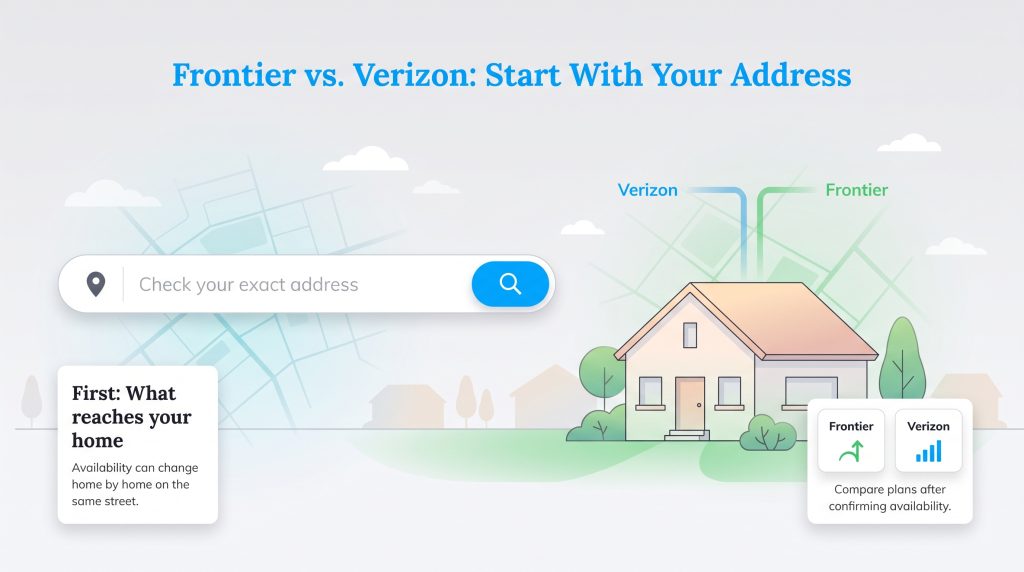
Don’t compare plans until you’ve checked your exact address. A provider may serve your ZIP code but not your specific street, apartment building, or side of the neighborhood. Once you know what reaches your new home, you can easily compare your options based on your household’s specific needs.
| Situation | Better Choice | Why |
| You already have Verizon Wireless | Verizon | Mobile and home internet discounts may lower your monthly bill. |
| You need the fastest residential fiber tier | Frontier | Frontier offers multi-gig fiber tiers up to 7 Gig in select areas. |
| Fiber is unavailable | Verizon 5G Home Internet, if available | It may outperform DSL in many homes. |
| You live in a Frontier DSL-only area | Compare Verizon 5G first | DSL may be slower and less reliable for multi-device households. |
| You need professional fiber installation | Either | Compare installation availability and one-time fees at your address. |
The Verizon-Frontier Acquisition and What It Means for You
If you are wondering, “Is Verizon buying Frontier?” the short answer is yes. According to Verizon’s announcement of its planned Frontier acquisition, the company intends to purchase the provider for about $20 billion, aiming to expand its premium fiber network footprint across the country. While industry shifts of this scale can sound intimidating when you just want to set up your home Wi-Fi, there is no immediate reason to worry about sudden price hikes or service interruptions. Mergers require extensive regulatory approval and take significant time to integrate. Both providers will continue operating their separate plans, infrastructure, and billing cycles for the foreseeable future. If you sign up for Frontier today, review the current service agreement, promotional period, and price-lock terms so you know what is guaranteed and for how long.
📌 Quick Fact: The Verizon acquisition of Frontier aims to add millions of fiber-optic connections to Verizon’s portfolio, bridging the gap between urban centers and underserved suburban regions over the next few years.
Verizon Fios vs. Frontier Fiber: The Heavyweight Matchup
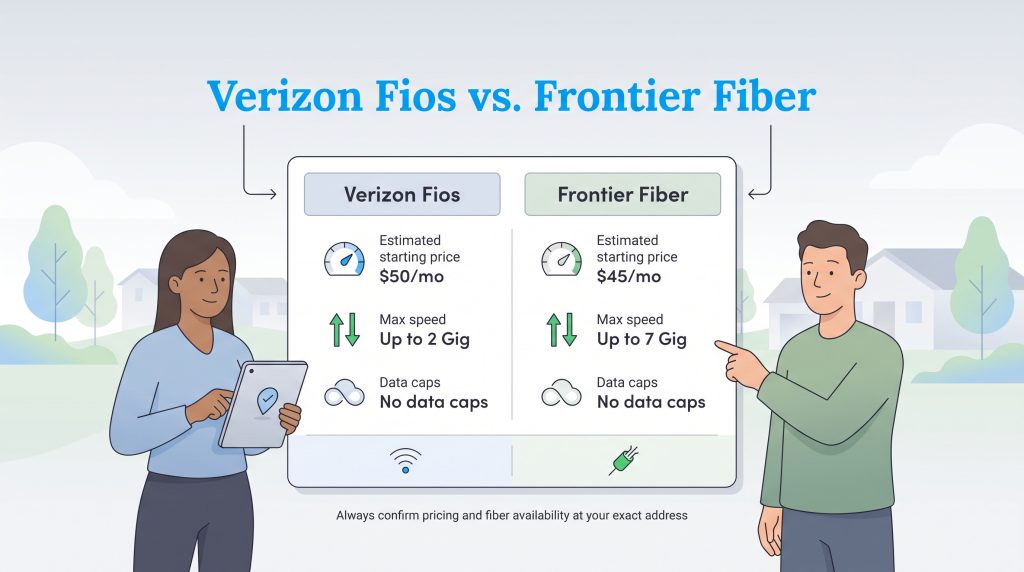
If Verizon Fios and Frontier Fiber are both available at your address, you are comparing two of the strongest contenders in the home internet market. Both providers utilize 100% fiber-optic networks to deliver symmetrical upload and download speeds, meaning your remote video meetings will run just as smoothly as your 4K movie streams. The major differentiator usually boils down to pricing and exact availability at your new address. To determine if fiber reaches your home, type your specific street address into both providers’ availability checkers online before locking in a decision. Frontier consistently pushes multi-gigabit speeds for power users, while Verizon Fios is widely renowned for its strong reliability and top-tier customer satisfaction ratings.
| Provider / Network | Estimated Starting Price (per month) | Max Speed Available | Data Caps |
| Verizon Fios | $50 | Up to 2 Gig | None |
| Frontier Fiber | $45 | Up to 7 Gig | None |
Prices vary by location, plan tier, autopay enrollment, taxes, fees, and current promotions. Always confirm the total monthly cost at your exact address before ordering.
Comparing High-Speed Pricing and Performance
Pricing structures between these fiber giants are highly competitive but cater to slightly different digital needs. Verizon’s entry-level Fios plans typically start around $50 per month, providing a dependable 300 Mbps connection that easily handles everyday smart home devices and standard definition streaming. Frontier frequently edges out Verizon on introductory costs, offering entry-level fiber speeds starting closer to $45, alongside notable 5 Gig or 7 Gig tiers for heavy gamers. Before choosing a plan, think carefully about setting up your home internet connection based on your actual daily bandwidth usage rather than paying a premium for excess capacity you might never tap into.
Frontier Plans and Pricing
| Plan Name | Price | Download Speeds | Connection Type | |
|---|---|---|---|---|
| Frontier Internet | $64.99 /month | Up to 12 Mbps | DSL | Check Availability |
| Fiber 200 Mbps | $29.99 /month | Up to 200 Mbps | Fiber | Check Availability |
| Fiber 500 Mbps | $44.99 /month | Up to 500 Mbps | Fiber | Check Availability |
| Fiber 1 Gig | $64.99 /month | Up to 1000 Mbps | Fiber | Check Availability |
| Fiber 2 Gig | $79.99 /month | Up to 2 Gbps | Fiber | Check Availability |
| Fiber 5 Gig | $104.99 /month | Up to 5 Gbps | Fiber | Check Availability |
| Fiber 7 Gig | $124.99 /month | Up to 7 Gbps | Fiber | Check Availability |
Verizon Home Internet Plans and Pricing
| Plan Name | Price | Download Speeds | Connection Type | |
|---|---|---|---|---|
| High Speed Internet | $40 /month | Up to 15 Mbps | DSL | Check Availability |
| Verizon Home Internet Lite | $35 /month | Up to 25 Mbps | 5G | Check Availability |
| Verizon Home Internet Lite Extra | $55 /month | Up to 25 Mbps | 5G | Check Availability |
| 5G Home | $50 /month | Up to 100 Mbps | 5G | Check Availability |
| 5G Home Plus | $60 /month | Up to 150 Mbps | 5G | Check Availability |
| Fios 300 Mbps | $30 /month | Up to 300 Mbps | Fiber | Check Availability |
| 5G Home Ultimate | $75 /month | Up to 300 Mbps | 5G | Check Availability |
| Fios 500 Mbps | $65 /month | Up to 500 Mbps | Fiber | Check Availability |
| Fios 1 Gig | $80 /month | Up to 1000 Mbps | Fiber | Check Availability |
| Fios 2 Gig | $90 /month | Up to 2.3 Gbps | Fiber | Check Availability |
| Fios 5 Gig | $104.99 /month | Up to 5 Gbps | Fiber | Check Availability |
Frontier DSL vs. Verizon 5G Home Internet: Rural and Suburban Solutions
Many homeowners relocating to rural or developing suburban neighborhoods quickly discover that blazing-fast fiber is simply not an option yet. This scenario highlights a significant difference between the two companies. If you’re comparing Frontier DSL with Verizon 5G Home Internet, you are weighing legacy infrastructure against modern wireless innovation. Frontier operates a vast traditional DSL network that utilizes older copper telephone lines. While this service is widely accessible in remote areas, Frontier DSL speeds vary widely by address and are often much slower than fiber, especially in rural areas. Some homes may see speeds in the 10–40 Mbps range, while others may qualify for faster service. That tight bandwidth often struggles to support multiple modern streaming devices simultaneously.
Alternatively, Verizon 5G Home Internet reveals how Verizon elegantly bypasses physical underground cables entirely. Verizon 5G uses local cellular towers to beam high-speed internet directly to a gateway device sitting inside your house. Depending on signal strength and network capacity, Verizon 5G Home Internet may deliver speeds that outperform DSL, though performance can vary by location, home placement, and congestion. This plug-and-play solution is a highly capable and flexible alternative for those stuck in traditional DSL-only territories.
| Connection Type | Best For | Watch Out For |
| Fiber | Remote work, gaming, streaming, large households | Not available everywhere |
| 5G Home Internet | Easy setup and homes without fiber | Speeds can vary by signal and congestion |
| DSL | Rural homes with limited options | Slower speeds and weaker multi-device performance |
💡 Pro Tip: Use the government’s official interactive tool by checking the FCC National Broadband Map to verify exactly which internet technologies — from DSL to fiber — are active at your specific new address before moving.
Hidden Fees, Router Costs, and Bundling Perks
Your advertised monthly base rate is only one piece of your utility budget puzzle. Digging into the transactional fine print shows how comparing router fees and one-time setup charges can dramatically affect your first bill. In many markets, Verizon currently includes the cost of the router rental in its standard monthly price for both Fios and 5G Home Internet. This built-in perk guarantees you won’t see an extra $10 to $15 tacked onto your statement every month just to use their equipment.
Frontier has also largely moved away from charging ongoing monthly router fees for its premium fiber plans, but you still need to watch out for upfront costs. Frontier may charge activation or installation fees depending on your address, order method, and whether your home already has the required equipment. Check your order summary before checkout. When mapping out your monthly moving budget, always compare what you will pay on day one versus what your regular payments will look like during month thirteen.
Maximizing Your Savings with Mobile Bundles
If you are already an active Verizon wireless customer, the pricing scale tips heavily in their favor. Weighing a Verizon internet and mobile bundle reveals significant discount opportunities that are hard to ignore. Verizon mobile customers may qualify for home internet discounts, which can make Verizon significantly cheaper than the advertised standalone price. Frontier simply does not possess a native cellular network to offer comparable in-house mobile bundling discounts.
💸 Money-Saver: You can often waive standard internet activation and setup fees entirely by skipping the customer service phone call and placing your service order directly online.
Eco-Friendly Home Internet and Energy-Saving Setup Tips
Setting up your new digital network presents an excellent opportunity to make environmentally mindful choices in your home. While routers and modems do not draw nearly as much power as your HVAC system, they constantly consume electricity, contributing to silent phantom power drain. You can mitigate this waste by specifically selecting ENERGY STAR-certified networking equipment, which is uniquely engineered to use significantly less energy than standard hardware models. Connecting your home office desk setup to a smart power plug allows you to easily cut the juice to monitors and printers overnight, helping to reduce your monthly electric bill. These small adjustments establish a firm baseline for household energy efficiency the moment you unpack.
🌱 Eco Edge: Fiber networks can be a more energy-efficient choice than older copper-based networks because they transmit data with light signals and can move more data with less signal loss over distance.
Moving Logistics: Setting Up Your New ISP Stress-Free
Transitioning your digital life during a hectic move requires precise timing and coordination. If you find yourself switching from Frontier to Verizon — or navigating the exact opposite route — you must strategically align the cancellation of your old service with the activation of the new one so you are never left offline. For a new home, the better provider usually depends on what’s available at your exact address, and your experience ultimately comes down to proactive moving day planning.
Follow this straightforward timeline when organizing your upcoming move or reviewing a moving utilities setup guide:
- Order internet before your move-in date: Secure your installation appointment early if remote work or school starts immediately.
- Ask about existing equipment: Determine whether the home already has an optical network terminal for fiber before choosing a professional appointment.
- Confirm self-installation eligibility: Check if self-install is available at your address, which can save you money on technician fees.
- Don’t cancel your old service early: Wait until the new connection is active if you need continuous internet during the transition.
- Return leased equipment carefully: Check your provider’s return window, photograph equipment serial numbers, and keep the receipt or tracking number so you’re not charged for unreturned equipment.
Making the Right Choice for Your New Home Connection
Selecting your new ISP depends entirely on the specific technology available in your neighborhood and your existing mobile carrier relationships. Verizon clearly stands out as the best value for many Verizon Wireless customers, offering steep bundling discounts and easy 5G Home Internet setups for properties lacking fiber access. Meanwhile, Frontier remains a dominant force for heavy power users demanding multi-gigabit speeds in heavily localized fiber markets. Take the necessary time to run your new address through both company databases, assess any upfront installation fees, and choose the connectivity service that seamlessly supports your daily routine so you can settle into your new home with more confidence.
Frequently Asked Questions About Frontier vs. Verizon Home Internet
These quick answers cover the most common questions people ask when comparing Frontier and Verizon for a new home. Use them to double-check fees, installation timing, and service options before you order.
Which provider is better for a new home, Frontier or Verizon?
Will the Verizon acquisition of Frontier change my internet bill?
Can I install Verizon 5G Home Internet myself when I move?
Does Frontier or Verizon have more hidden fees?
How far in advance should I schedule my internet installation?
About the Author

David has been an integral part of some of the biggest utility sites on the internet, including InMyArea.com, HighSpeedInternet.com, BroadbandNow.com, and U.S. News. He brings over 15 years of experience writing about, compiling and analyzing utility data.

LaLeesha has a Masters degree in English and enjoys writing whenever she has the chance. She is passionate about gardening, reducing her carbon footprint, and protecting the environment. She also recently served as President of the Board for City Sprouts (a community garden).