
Choosing Between Xfinity and EarthLink Usually Comes Down to Fast Setup, Lower Starting Prices, Fiber Availability, and How Much Data Your Household Uses

- 2 Gbps
- Cable & Fiber
- Unlimited
- $30.00/mo

- 5 Gbps
- Fiber, Cable, 5G, & Satellite
- Varies
- $39.95/mo
*Not all internet providers and speeds available in all areas.
Key Takeaways
- Xfinity is best for budget-minded movers who want lower starting prices and the convenience of quick self-installation kits.
- EarthLink is the ultimate long-term choice because its premium fiber network delivers symmetrical upload speeds and completely uncapped data for heavy users.
- Buying an approved, energy-efficient modem instead of renting equipment helps lower your monthly utility bills and creates a more eco-conscious smart home.
Moving into a new place is stressful enough without overpaying for an internet plan that doesn’t fit your household needs or budget. We know how overwhelming the utility setup process gets, so we want to help you cut through the marketing jargon and choose between two major home networking contenders. When comparing Xfinity vs. EarthLink, Xfinity stands out as the clear winner for renters and homeowners seeking low promotional rates, bundle discounts, and fast plug-and-play setups. Conversely, EarthLink is the definitive champion if you demand uncapped data and the hyper-reliable performance of fiber optics for remote work, streaming, and gaming. By breaking down their network technologies, hidden installation fees, and strict data policies, we will guide you to the most cost-effective and dependable connection for your newly unpacked home.
Quick Comparison: Xfinity and EarthLink at a Glance
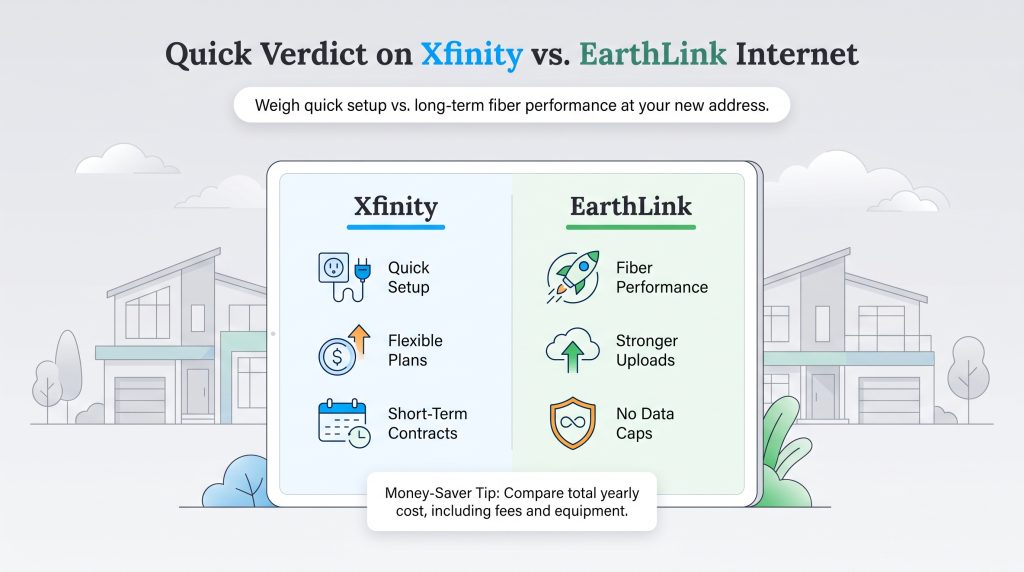
Because internet pricing and service availability change by neighborhood, deciding between these two providers requires looking at your specific household data habits. To help you quickly weigh your options, we break down the distinct advantages and drawbacks of each internet service provider (ISP).
Xfinity Pros and Cons
- Pros: Offers incredibly affordable introductory rates, features simple self-installation kits for fast move-ins, and provides access to millions of nationwide Wi-Fi hotspots.
- Cons: Imposes a strict 1.2 TB data cap in most regions, features asymmetrical speeds (slower uploads), and enforces significant price hikes after the promotional period ends.
EarthLink Pros and Cons
- Pros: Delivers true fiber-optic symmetrical speeds (where available), features absolutely no data caps, and provides highly-rated, US-based customer service without standard second-year price hikes.
- Cons: Features higher base prices, requires a standard 12-month contract, and typically mandates a professional installation appointment.
| Feature | Xfinity | EarthLink |
|---|---|---|
| Starting Price | $20 – $35 per month | $55 – $60 per month |
| Speed Range | 75 Mbps – 2,000+ Mbps | 50 Mbps – 5,000 Mbps |
| Network Type | Hybrid Fiber-Coaxial (Cable) | Fiber and DSL (Leased Network) |
| Data Caps | 1.2 TB limit in most areas | None (Unlimited Data) |
| Contract Requirements | Term agreements or no-contract plans | 12-month contract required |
Network Technology: Cable vs. Fiber Optic Explained
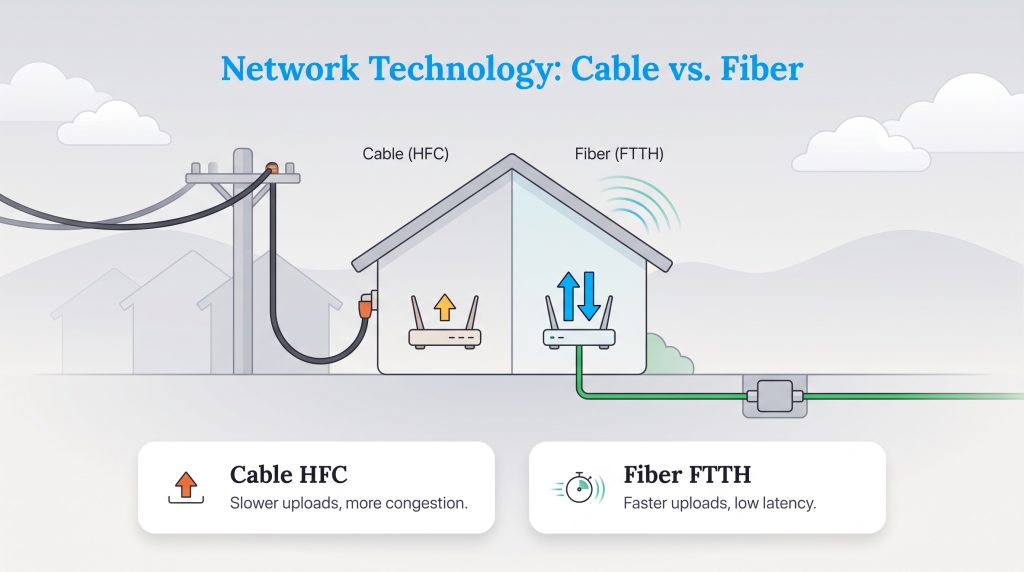
Understanding the actual technology powering your home network highlights exactly why speeds, latency, and reliability differ so drastically between these two brands. Xfinity operates on a hybrid fiber-coaxial (HFC) network. This means the company runs high-speed fiber lines to your neighborhood node, but it relies on older copper coaxial cables to carry the signal the final distance into your living room. While this traditional cable setup easily handles 4K streaming and daily browsing, the older copper wiring creates a massive bottleneck for upload speeds.
EarthLink operates on a completely different business model as an internet reseller. Rather than building its own physical network infrastructure, EarthLink leases top-tier connections from major fiber providers like AT&T and Frontier. If fiber is available at your address, EarthLink delivers a direct fiber-to-the-home (FTTH) connection. Fiber technology uses light signals traveling through glass strands, making it entirely immune to the weather interference and neighborhood traffic slowdowns that frequently plague traditional cable connections. This pure fiber network directly translates to ultra-low latency and flawless video conferencing.
Moving and Installation: Which Provider Is Easier to Set Up?
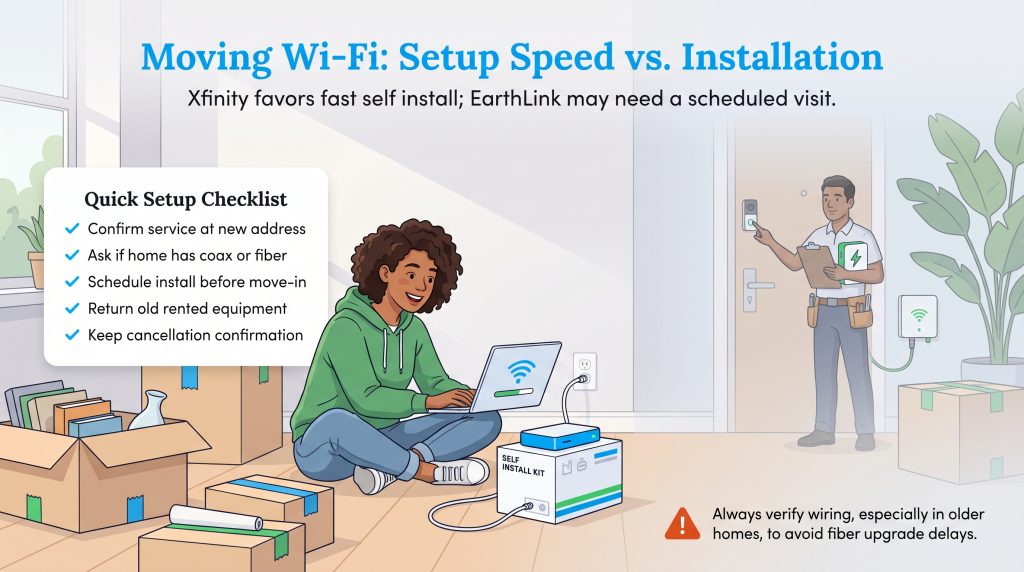
Getting your Wi-Fi running before you even unpack the TV is a massive priority when moving. If speed of setup is your primary goal, Xfinity wins the convenience race effortlessly. They offer incredibly popular self-install kits that you can pick up from a local store or have shipped directly to your new address. If your new home is already wired for coaxial cable, you can activate your Xfinity gateway in minutes without scheduling a technician.
EarthLink fiber almost always requires professional installation, especially if your new home doesn’t already have an optical network terminal (ONT) installed on the exterior. This professional setup guarantees a high-quality connection, but it forces you to align your hectic moving schedule with an available appointment window. To avoid a frustrating internet blackout, you will want to schedule your EarthLink installation at least a week or two prior to moving day.
🚩 Heads Up: Always check the exact wiring in your new home before moving in, as older properties might only support coaxial cables and would require a time-consuming, expensive fiber upgrade to use EarthLink.
Internet Pricing, Plans, and Value
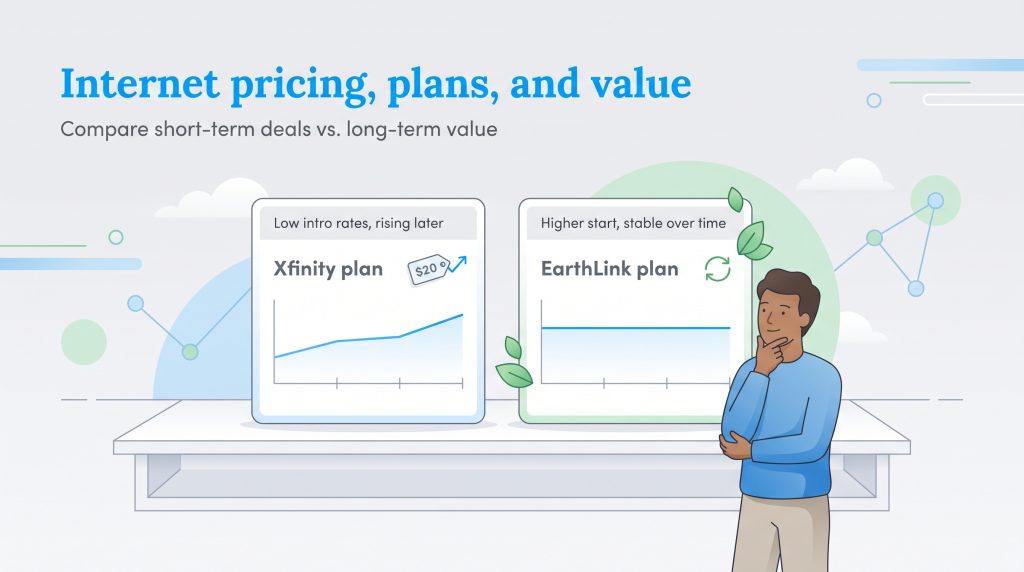
Cost is frequently the deciding factor for most families, so calculating the long-term value between EarthLink vs. Xfinity internet prices is essential. Xfinity routinely entices movers with rock-bottom introductory rates ranging from $20 to $35 a month. However, you must read the fine print — Xfinity’s promotional pricing typically expires after 12 to 24 months, resulting in substantial bill increases.
EarthLink’s base prices generally start higher, hovering around $55 to $60 a month for foundational fiber speeds. While the upfront sticker shock is real, EarthLink’s straightforward pricing model is highly praised because it lacks those massive, hidden second-year price hikes notorious in the cable industry. Over a three-year period, EarthLink’s flat-rate stability often proves more economical.
Xfinity Internet Plans
| Plan Name | Price | Download Speeds | Connection Type | |
|---|---|---|---|---|
| NOW Internet | $30 /month | Up to 100 Mbps | Cable | Check Availability |
| 300 Mbps | $40 /month | Up to 300 Mbps | Cable | Check Availability |
| 300 Mbps w/ 5 year price lock | $45 /month | Up to 300 Mbps | Cable | Check Availability |
| 500 Mbps | $50 /month | Up to 500 Mbps | Cable | Check Availability |
| 500 Mbps w/ 5 year price lock | $60 /month | Up to 500 Mbps | Cable | Check Availability |
| 1000 Mbps | $60 /month | Up to 1000 Mbps | Cable | Check Availability |
| 1000 Mbps w/ 5 year price lock | $70 /month | Up to 1000 Mbps | Cable | Check Availability |
| 2000 Mbps | $90 /month | Up to 2 Gbps | Fiber | Check Availability |
| 2000 Mbps w/ 5 year price lock | $100 /month | Up to 2 Gbps | Fiber | Check Availability |
EarthLink Internet Plans
EarthLink plan names and exact speeds vary based on the underlying partner network serving your specific zip code, but their core fiber offerings generally look like this:
- EarthLink Fiber 300 (300 Mbps): Typically starts around $55 per month. Perfect for small households and basic smart home setups.
- EarthLink Fiber 1 Gig (1,000 Mbps): Typically starts around $80 to $90 per month. Ideal for competitive gamers, heavy remote workers, and large families.
- EarthLink Fiber 2 Gig & 5 Gig: Premium multi-gig plans available in select metro areas starting above $100 per month.
Speeds, Performance, and Data Caps
When choosing an ISP, data restrictions create major buyer friction. This is where EarthLink establishes a massive advantage: EarthLink fiber plans feature absolutely no data caps. You receive unlimited bandwidth every single month without ever worrying about throttling or overage charges. Furthermore, EarthLink delivers symmetrical speeds, meaning your upload speed is exactly as fast as your download speed. This uninterrupted, heavy-duty performance makes an enormous difference if you routinely upload large video files to the cloud or host high-definition virtual meetings.
Xfinity takes a much more restrictive approach to household data usage. In the vast majority of its service areas (outside of the Northeast), Xfinity enforces a strict 1.2 TB monthly data cap. If your family streams daily in 4K, downloads massive video game updates, or runs security cameras constantly, you can quickly hit this limit. Once exceeded, Xfinity automatically charges $10 for every additional 50 GB of data you consume, up to a maximum penalty of $100 per month. To remove the cap, Xfinity forces customers to pay an additional $30 per month for an unlimited data add-on. Additionally, Xfinity’s cable network delivers asymmetrical speeds, meaning your upload capability will only be a fraction of your impressive download speed.
Hidden Fees: Contracts and Equipment Costs
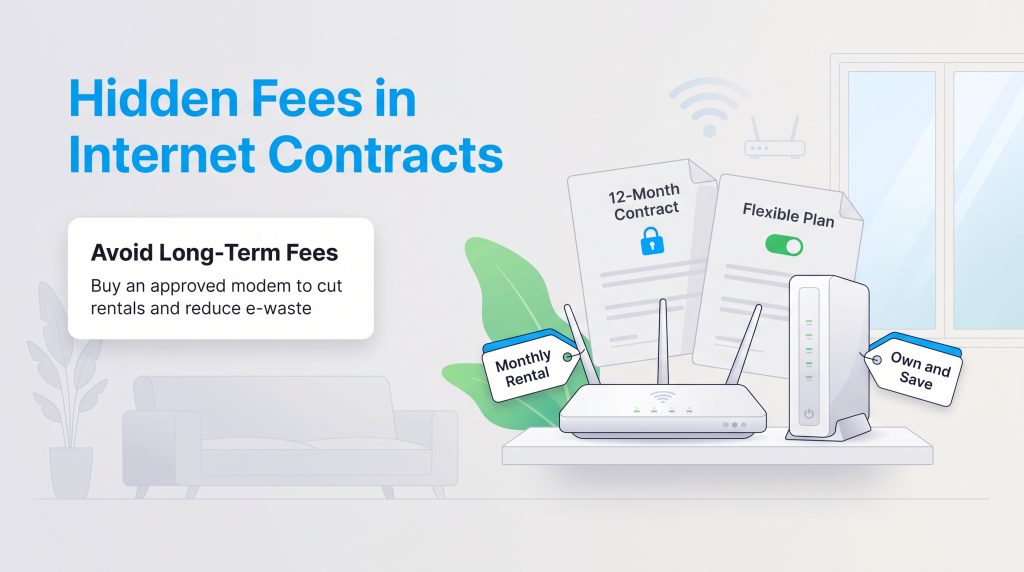
Financial transparency is critical when setting up your new utilities. EarthLink maintains a simple contractual approach by requiring a standard 12-month agreement for its internet plans. While an early termination fee (ETF) applies if you cancel before the year is up, this contract locks in your rate and protects you from sudden mid-year price inflation. EarthLink also charges an equipment rental fee for its premium Wi-Fi router, which typically runs about $14.95 per month.
Xfinity offers more flexibility by allowing customers to choose between term contracts (usually one or two years) and no-contract plans. However, opting for a no-contract plan with Xfinity generally increases your monthly base rate by $10. On the hardware side, renting an Xfinity xFi Gateway costs an additional $15 per month. To maximize your savings with either provider, we highly recommend purchasing your own hardware.
🌱 Eco Edge: If you buy your own equipment, choose a provider-approved modem or gateway with modern power-management features, and recycle or return old equipment responsibly. This energy-saving option significantly reduces household e-waste while lowering your monthly electricity usage and eliminating pesky rental fees.
Customer Service and Reliability
Dealing with telecom call centers is rarely an enjoyable experience, but there is a noticeable difference when examining EarthLink vs. Xfinity customer service. Major cable giants like Xfinity frequently struggle with customer satisfaction due to complex billing structures, long hold times, and automated phone trees. Conversely, EarthLink actively markets itself as a boutique, service-focused internet provider. Because they lease network lines rather than maintaining physical cables, their resources are heavily dedicated to US-based customer support, which often results in faster issue resolution and higher overall satisfaction ratings.
Of course, the best customer service in the world cannot fix a dead zone in your neighborhood. Before you finalize any utility decisions, we strongly recommend checking the FCC National Broadband Map to verify the most reliable coverage and highest speeds directly to your new address. You can also explore our comprehensive home internet resources to learn more about optimizing your network once you finally get the keys to your new place.
Choosing the Best Internet Connection for Your New Home
Securing a dependable internet connection shouldn’t add unnecessary friction to your moving day. If you are a budget-conscious renter or homeowner who desperately needs a quick, plug-and-play setup without waiting for a technician, Xfinity is undeniably the most practical choice. Their flexible no-contract options, massive Wi-Fi hotspot network, and aggressively low promotional prices make getting online incredibly simple and affordable during a chaotic transition.
However, if you plan to settle into your new home for years and demand uncompromising network stability, EarthLink fiber is the definitive winner. By delivering lightning-fast symmetrical upload speeds, completely uncapped data, and superior customer support, EarthLink provides the heavy-duty reliability that modern remote workers, serious gamers, and large smart homes absolutely require. Pairing an EarthLink fiber connection with your own energy-efficient router creates an environmentally mindful choice that will easily handle your household’s digital demands for the long haul.
Frequently Asked Questions About Xfinity vs. EarthLink
Does EarthLink use Xfinity lines?
Is EarthLink better than Xfinity for gaming?
Can I switch from Xfinity to EarthLink without losing internet service?
Is EarthLink better than Xfinity?
What is the true cost of Xfinity vs. EarthLink prices?
Does Xfinity or EarthLink have better upload speeds?
Which provider is better for renters?
About the Author

David has been an integral part of some of the biggest utility sites on the internet, including InMyArea.com, HighSpeedInternet.com, BroadbandNow.com, and U.S. News. He brings over 15 years of experience writing about, compiling and analyzing utility data.